By Drea, Business Pundit – April 13, 2010 at 11:18AM
Are you serious about starting a business, but lack the big bucks? Before you take out a bank loan, consider that you can start a number of businesses for as little as several hundred dollars. We’ve compiled a list of 15 proven businesses that you can start for $5,000 or less in overhead. Some require little outlay, but lots of time; others require more energy; still others don’t require much at all. One of the business ideas below might just be your next big thing.
Virtual Assisting

Virtual assistants help clients with a variety of projects from their home offices. Tasks may be administrative, but can also relate to marketing, Web design, IT, and other tasks. Virtual assistants communicate with their clients via Internet, phone, or fax.
Overhead: Your computer, phone system, and Internet connection are your lifeblood in this industry. If you already own the relevant machines, make sure you have the means to pay for good connections on a monthly basis.
Many virtual assistants come from a non-virtual (on-the-job) background. If you’re interested in education and coaching to launch your business, venues such as Virtual Assistance U. charge around $1,500 for complete training.
Recurring expenses: A good Internet and phone connection. Subscription fees for job-finding services such as ELance.
Time/energy requirement: You will need a solid business plan, marketing strategy, and training. At the beginning, you may work between 14-18 hours per day.
Income potential: Most virtual assistants make $31-39/hour, according to this survey.
App Development

Image: Apple/Non-free media use rationale
Apps are taking over the world! If you have a propensity for Web development, enough skill to work in various platforms (iPhone, iPad, Droid, etc.), it’s time to mine the app craze.
Overhead: $2500-$5000
Many companies now exist that will take your amazing smartphone application idea and develop it into a real, sellable app for download. Upfront costs include a development period where they will work with you to best design the application. Most of these companies charge from $999-$2000 and many keep partial ownership of the application as the developer. But you are also gaining entry into a highly technical marketplace.
Recurring expenses: Ongoing marketing and spreading the news about your app will be your greatest time and money expenditure. You might consider hiring PR or marketing company familiar with getting new apps reviewed. Make sure that your app is included on the relevant blogs and news outlets who report on new apps.
Time/energy requirement: Not very much if you have the next killer app idea. Filling out some forms and conceptualizing how the app will work is the hard part. Making sure the build does what you envisioned will be the second. Outside of that, the marketing effort and telling everyone you know about your app will be imperative.
Income potential: Varies wildly. But, if you have an app priced at $1.99 and 10,000 people download it, you can always spend the $2500 and start another one. However, even joke apps have sold hundreds of thousands, so it is worth the shot.
Bookkeeping

If you’re super organized and like numbers, try your hand at being an independent bookkeeper. Most companies need a good bookkeeper. Clever marketing and a good reputation will give you a solid and lucrative business.
Overhead: >$2000
Recurring expenses: New licenses for accounting software updated yearly. You will also need to market your services to relevant business that may have a need for offsite bookkeepers.
Time/energy requirement: If you have already been in accounts receivables or accounts payables at job, you are probably ready to take your first customers. Understanding accounting and financial processes is the first step, but another important factor in a successful bookkeeping service is learning how to deal with your clients from an owner perspective. You need to be able to nudge them to get you whatever materials you need, including timely invoices and receipts, expense reports, and other necessary forms. Your dedication to detail and honesty will separate you from your competition. If you are able to realize a company savings by cleaning up the accounting process, you will be a valuable asset.
Attending conferences and receiving newsletters on pending changes in Tax laws etc. will also be a valuable resource to consider.
Income potential: Bookeepers’ pay varies widely based on the business they interact with and the margins of Revenue involved. When figuring hourly, most can make $35-45 per hour and usually bill 15 hrs per week/per client.
Computer repair

Got a knack for fixing PCs or Macs? Are you the person your family and friends always call when they have computer trouble? You might consider turning your skill into a small business. Everyone has a computer, and 99% of us panic when something goes wrong. Being the person to save the day can reward you handsomely. Bonus points if you can fix mobile devices.
Overhead: A license and insurance could set you back up to $2,000. Also consider marketing costs, especially when you’re just starting out, and any hardware and software you need to troubleshoot other peoples’ computers. A dedicate space with a repair bench and tools also helps a lot.
Recurring expenses: Software upgrades, equipment upgrades and maintenance, rent if you have a separate office, fuel if you do house calls.
Time/energy requirement: High at the beginning, when you market and build your client base. Some locations have a lot of competition, so you may have to continue to put a lot of time and energy into marketing, even after you build a reputation.
Income potential: Most computer repair people charge $75-$100/hour—it all depends on the going rates where you live. If you focus on serving businesses rather than residential customers, your income potential may be higher.
Cleaning
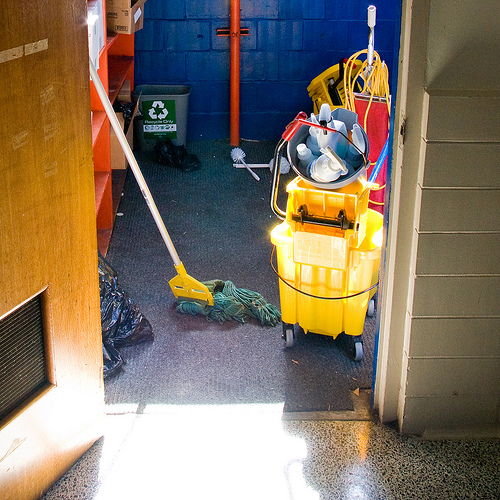
Image: Robert S. Donovan/Flickr
Whether you’re an eco-friendly maid or a crime scene cleaner, cleaning services can be a good bet. Somebody always needs a house cleaner, janitor, or certified cleaning specialist to do their dirty work for a fee.
Overhead: Regardless of what specialty you choose to focus on, you’ll need a few basics. A car or van that fits your supplies, basic supplies, protective wear, liability insurance, business cards, and professional invoices are a place to start. You can get all of these things for less than $5,000 if you’re thrifty and willing to drive an old car. Some businesses, like window cleaning, only require a couple hundred dollars to start. If you choose to specialize, you may need to invest in a certification. Certifications either help or are required in niches like restoration, disaster cleanup, or window cleaning.
You can also go for a franchise like Jan-Pro, which for as little as $3,300 can get you started in the commercial cleaning business.
Recurring expenses: You’ll occasionally need to replace and upgrade supplies. Also factor in gas, insurance fees, and marketing costs.
Time/energy requirement: This depends on what you specialize in and how quickly you build your client base. You’ll have to work hard at the beginning to build your name and reputation. Once you have regular clients, you’ll be more able to choose how much you want or need to work.
Income potential: If, on average, you charge clients $20/hour and work 30 billable hours/week, you can make around $30,000 per year. Your income potential goes way up depending on your niche, hours you work, and what you charge.
Painting

If you’re a decent interior and exterior painter–or, better yet, already know the painting business–forking up for some high-grade tools can pay handsome dividends. Residential homes, new construction, and commercial painting are general places to start.
Overhead: $2,000+. You’ll need painting supplies like drop cloths, a ladder, and edges. Marketing and advertising will also be necessary expenses. Add to that any necessary licensure and liability insurance. Your biggest investment at the beginning will be the time it takes to build your network.
Recurring expenses: Replacing supplies. Keeping insurance and licensure current. Constant advertising, at least until you gain enough business through referrals.
Time/energy requirement: Very high. You’ll have to network and market your hiny off at the beginning. Your work will also be very physical, requiring a lot of standing up, upper body movement, and exposure to strong fumes.
Income potential: Income can be quite high if you get big enough, for example by adding other services, such as pressure washing, and hiring on contractors or employees. If you keep it at a DIY level, expect $20+/hour.
Pet Walking

Image: Tanakawho/Flickr
Like pets? Don’t mind walking a lot, disciplining animals, or scooping poop? Combine the two by becoming a pet walker (this usually goes hand-in-hand with cat sitting, too). It can be a surprisingly lucrative full-time business.
Overhead: >$100-$500. Some dog walkers may be required to have a business license, if walking multiple dogs at one time, for example. Many opt to become insured and bonded as a safeguard for both themselves and their clients. Check your local jurisdiction for rules.
Recurring expenses: Ongoing marketing and client care. Cards, flyers, handbills and networking with local pet centers will help get your message out there.
Time/energy requirement: Lots of energy required. You do not what size of dog your client will have. You will be traveling to client’s homes, use with their keys and/or alarm systems, play with the animals, and feed them after their walk. You will also have to walk–a lot. Having a love of dogs and an understanding of animals will help you deal with those pets that are not well-trained. Many times, dog walker services upsell their clients for training as well. Keep in mind that in most cities, you will have to be chief pooper-scooper as well, so squeamish need not apply.
Income potential: Unless you run a network of dog walkers or spend your whole day doing so, this can be a fantastic part-time opportunity. But if you are the sole walker and handle as many 10 dogs per day you can easily make $150 per day.
Business Waste Consulting

Many businesses spend thousands of dollars a month just on waste disposal and recycling. With a little bit of training, you can become the person they turn to in order to save money. Companies hire environmental waste consultants to build recycling and waste reduction systems that will save them money. Naturally, a part of those saved expenditures goes to you, the consultant.
Overhead: $3,000-5,000. If you choose to take care of the waste yourself, a truck will be your largest expense. Otherwise, marketing, promotion, and nabbing clients will take a chunk of your money and time. You may also need a workshop or warehouse to strip equipment of valuable copper and prepare for e-cycling waste requirements.
Recurring expenses: Upkeep of your equipment and marketing costs to gain new clients.
Time/energy requirement: You can go it on your own and drum up business or you can choose to be a part of a professional network such as Environmental Waste Solutions. Professional networks may require more startup capital for their seminars and materials. Going at it on your own, on the other hand, requires more time and probably a bigger marketing budget.
Income potential: Most jobs will vary depending on the size of the company. Many in the field who just consult can make $1000 per week on four business development deals. If you consult and also take care of the waste management service, your profit could be $2,000 per company (at an average of four companies per month).
Vending machines
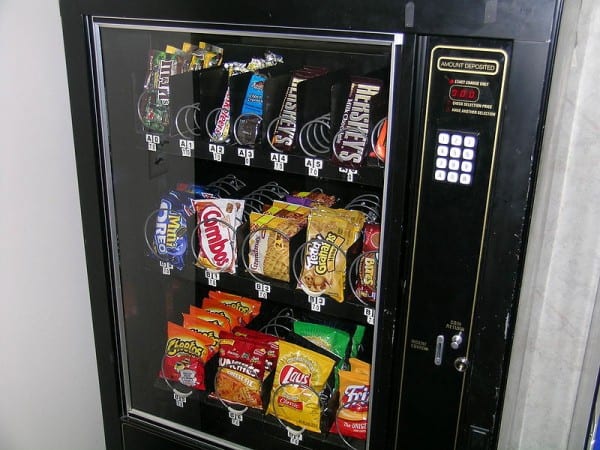
Vending machines could be the world’s most effortless investment. All you need to do is buy a decent one, find it a good home, and restock/cash out every couple of weeks. Of course, there’s a bit of an art to putting the right machine in the right place, but after that, you’re golden.
Overhead: $200-$5,000, depending on the type of machine you buy. Also, many vending machine owners pay a locating company to find a good location for their machines.
Recurring expenses: Products to refill your vending machine with. Transportation to and from your vending machine. Servicing your vending machine. Some locations require that you pay a 5-10% fee for renting the space your vending machine is on.
Time/energy requirement: Purchasing, transporting, and reloading product into your vending machine on a weekly basis requires some time and physical energy.
Income potential: One small, well-placed vending machine can make you $50/week. If you have more/bigger vending machines, your income can increase to a lot more.
Party Rentals

Ever been in a bouncy castle? It’s fun, right? Kids in churches, at birthday parties, at schools, and anywhere else there’s a party love bouncing around in inflated structures. If you happen to be the party rental service that provides inflatables and other party essentials, you have your business cut out for you. For a small initial investment, you can bring your portable party everywhere.
Overhead: $200-$5,000+, depending on the type and amount of equipment you buy (besides bouncy structures, you can get water slides, obstacle courses, casino games, lighting/special effects…the opportunities are endless). For example, for an inflatable, you’ll also need a blower to inflate your equipment, liability insurance, and preferably a company-branded vehicle to carry your equipment. Budget money for accessories like a dolly, tarps, storage bags, and patch kits.
Recurring expenses: Advertising and marketing are big ones in this business—you want everyone to know about you, so you want to be visible in the phone book, online, and at functions. Also factor in liability insurance and fuel costs.
Time/energy requirement: High. Setting up and taking down inflatables can be a lot of physical work. You’ll have to market like crazy, too, especially at the beginning.
Income potential: To make more money in this business, you need more stuff to rent. One inflatable, for example, will rent for $50+/day. It pays to go big sooner. Five inflatables will make you $1,000/month if you rent them out every weekend. A bigger inventory will make you much more.
Lawn Care
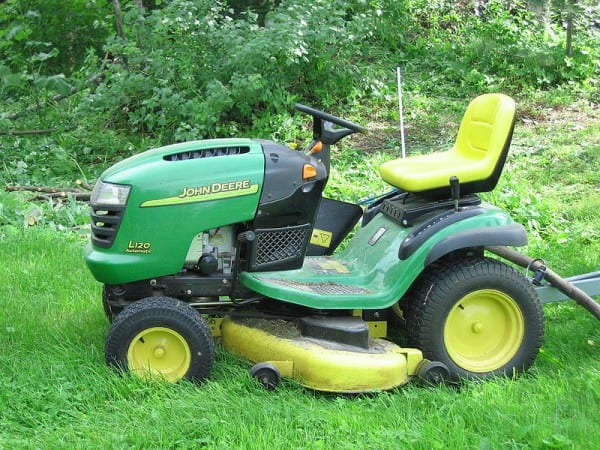
Everyone needs their lawn mowed, from private homes to big business parks. Why not be the company that does it for them? Lawn care can be a lucrative proposition—and that summer tan doesn’t hurt, either.
Overhead: $3,000. This includes the cost of mowers, trimmers, bagging, seeders, brooms other and assorted items. In many cities you will need a city tax affidavit, liability insurance, a state tax number, and a business telephone. If you plan to spray lawns or provide sprinkler service, you will need to check with your county for the proper license.
Recurring expenses: Upkeep and repair on your mechanical items will be essential to keeping your business running. Once you have built a solid customer base, you may think about replicating your team (buying the equipment and hiring summer workers) to handle more clients. Of course, marketing and networking whether by flyers, cards, brochures or handbills will be required each spring to gain new customers.
Time/energy requirement: Estimating how long a job will take is really the secret to this business. Some jobs may demand that you hire an outside contractor such as a tree trimmer or professional landscaper. You will also be spending a great deal of your time in the sun with little shade. For those who love the outdoors, a great tan and a well-manicured lawn, the payoff of a good job is more than just profit.
Income potential: Being able to decide the time, work, and resources value for any given job will greatly affect your profit margin. Your ability to upsell items like tree care or landscaping will also affect your monthly profit. Most residential lawn services with 1-2 people can do an average of 20 jobs per week at an average of $50 per job. $1,000 a week for getting a great tan may be just the path for you.
Tutor center

Image: cvconnell/Flickr
Thanks to standardized testing, parents are herding their children into specialized tutoring centers. If you happen to run that tutoring company, the high SAT scores you produce could pay handsome dividends.
Overhead: Less than $5,000. A room rental for 2 days per week costs an estimated $300, or $1200 a month (this becomes a recurring expense once you find a room). Preparation materials are $250-$500. Presentation materials and classroom items will run you about $300. Certification fees and materials will cost around $200.
Recurring expenses: There are several, including:
• Updated guides to various tests will be needed yearly to stay up to date.
• Monthly room rental fee.
• Reservation processing. If you take reservations, you will need a way to accept money or you can offer your services to an extension university and let them handle all of the office stuff.
• Marketing and networking your services.
Time/energy requirement: If you have already been a teacher or recently helped someone through expert level testing on PSAT, SAT, ACT or even a GED, you can form a curriculum right out of a common study manual. Some people just need a better structure and a leader to learn better. If you are an expert in a certification field such as nursing or the law, you can also start taking students right away.
However, if you feel you like some training yourself before teaching others, a great resource is the National Tutoring Association. https://www.ntatutor.com/
Income potential: Many commercial tutor facilities charge from $499 up to $1999 for 2 months of tutoring, depending on the test being prepared for. Most of that cost is usually going to the math tutor since math is the most problematic topic for the average student. Most billing in this field is charged for the series of classes, not per session.
Most programs are for 8 weeks, 1-3 hours per session. For college-level tests or simple certifications, you can charge $300-400. You can charge $500-800 for prep for professional tests. Depending on how many students you attract, you could make $2000-$5000 per month.
Handyman

If you’re a jack-of-all-trades who can fix anything from roof beams to toilets, consider making a killing off your hobby by becoming a handyman. Many people don’t have the time or know-how to even fix the little things in their homes. If you make yourself visible and seal a good reputation, you can have customers for life.
Even if you can’t swing a hammer, you can create a company that outsources handymen. People call you for a handyman, you find the specialist who best suits their needs, and the handyman does the work as a contractor for you. This role might be a little more overhead-intense, as it helps to have a central office, a good computer system, and other office equipment.
Overhead: You need a good basic set of tools to do small jobs. A ladder, a truck to carry your supplies, and a stash of commonly-used hardware supplies also help. Also factor in insurance and licensure, as needed.
Recurring expenses: Fuel, marketing costs, and equipment repair or upgrades are basic recurring expenses. If you decide to own a dispatch service, also factor in rent and utilities.
Time/energy requirement: High when you’re just getting started. Once you have a reputation and regular clients, you’ll be able to pick and choose your jobs.
Income potential: Handymen generally set different prices for different jobs; let’s assume you make $30/hour on average and work 30 billable hours/week. That gives you more than $43,000/year to start off, but many handymen make more.
MLMs (Multilevel Marketing businesses)

Multilevel marketing is a form of self-employment where you sell something your company produces in exchange for a commission. As you work your way up the company, you can employ your own salespeople and take a bite out of what they sell. The higher up you climb, the more people you have working for you, and the more money you can make.
Overhead: Your overhead depends on what MLM you choose to become involved with. Overhead usually runs in the $200+ range. Some MLMs, like Primerica, charge initial fees for registering; others, such as Cutco, charge you to buy demo products.
Recurring expenses: Staying competitive in the MLM world usually requires a lot of support. That means seminars, coaching, retreats, marketing materials, and more–all of which you pay for. If you’re serious about MLM success, plan on saving up to $1,000/year for support and learning.
Time/energy requirement: Huge. MLMs can make you serious money, but you need to commit yourself wholeheartedly to your business and network, especially during the first few years. Drink the Kool-Aid and devote yourself. It’ll pay off.
Income potential: Also huge. The most successful network marketers can rake in millions per year. See commitment caveat above.
Tooth Whitening Kiosks

Image: Aleera*/Flickr
Everyone wants white teeth. Everyone hates the dentist. You can address that niche by franchising a kiosk where you whiten peoples’ teeth in a short period of time, using LED lights on peroxide gel. Many such kiosks are located at malls, but you can bring your kiosk to a salon, street fair, or anywhere you can get a license to put one. It only takes 20 minutes, and usually costs customers less than $100.
Tooth whitening kiosks do face potential liability issues. For now, kiosk owners address this by having customers put the bleaching product in their own mouths, thus absolving the owners of responsibility.
Overhead: $5,000
Recurring expenses: Running a kiosk will cost you around $1,500/month in rent at most malls. Some malls may want a percentage of your sales. Ask your local malls in advance for their fees.
Also note that you can get away with whitening teeth without a license–for now. The American Dental Association, which probably hates teeth-whitening kiosks, is working on a certification process for whitening teeth.
Some states consider teeth-whitening to be the same as practicing dentistry without a license. Be aware of the regulations in your state and locality.
Time/energy requirement: Expect to spend a lot of time hanging out at the mall. Heck, maybe you do that anyway. Since you don’t go anywhere, however, your actual energy output can be quite low.
Income potential: This depends on what you charge. If you work five days a week and charge customers $150 per whitening, you only need two customers per day to make around $77,000 per year, according to iSmile. In real life, it’s questionable you’ll get away with charging that much per customer. Word to the wise: Position yourself somewhere busy.
(Images: Non-copyrighted Wikimedia content; iStockPhoto)

 You’re constantly told
  Orbicule has released an update to its theft-recovery software for Macs, Undercover. Version 4 now allows users to remotely monitor a stolen Mac using the company’s UndercoverCenter.com web interface. Devices can be followed in real-time, with a variety of information available from the website. The software can capture iSight pictures, screenshots, or log the current location as a Google Earth file. Users can also lock the computer and display a custom message….
 The IRS plans to make more audits this year in order to make up for budget deficits. Rather than immediately surrender to the audit, the Wall Street Journal offers some tips for dealing with the government tax agency.
 Windows only: Universal Viewer, as its name implies, aims to be a universal file viewer capable of opening almost any file, without making you hunt down required programs for unusual file types.
 I love messing with settings and geeky file-sharing programs. My spouse doesn’t, but digs Hulu and appreciates free. So I set up a media center that satisfies my geek cravings but is actually easy-to-use for non-nerds. Here’s what I pieced together.
 My first attempt, an
  From the hardware standpoint, you’re setting up a Home Theater PC, or
  You’ll also need a USB mouse and keyboard, just for the setup, and a copy of Windows, one with Media Center included. There’s an XP version dubbed Media Center Edition, but at this point, there’s no reason not to upgrade to Vista or 7, both of which include Media Center in their Home Premium and Ultimate editions. If you’re starting with a new system, connect your video-to-TV, load your Windows DVD into the drive, boot up, and follow the installation instructions. Connect your system to the internet, plug in the USB receiver for your remote, and after a minute or two, you’ll be able to use the green Windows button in the center to launch Media Center. I aimed to make it even more simple by heading to the start menu, finding the Windows Media Center link, and dragging it into the Startup folder. This way, if the box is turned off or has to restart, it loads again right into Windows Media Center.
 You won’t have much to look at in your brand-new HTPC, but you should get familiar with how Windows Media Center works from a remote. My remote has buttons that launch instantly to the Video, Pictures, and Music sections, which are far more convenient than having to explain the navigation system to other users. When inside WMC, the green Windows button serves as a kind of Home button, dropping whatever you’re doing and heading back to the main menu. Hitting the power button puts your HTPC to sleep by default, and that’s a pretty low-power, quick-start solution for a box you keep connected to your TV. After about 10 minutes, Windows Media Center and its remote should make good sense. You can simply close down WMC and return to the Windows desktop by hitting the Tasks menu, selecting Shutdown, and choosing Close. Do that, because we’ve got just a bit of tweaking to do.
 Head to the Network and Sharing Center again from the Start menu, and click the Homegroup link in the lower-left. Follow the instructions to create a new homegroup, and look for the option to change the password, because it’s likely to be unwieldy. After that’s done, head to your Start menu and click the Computer link. In the window that pops up, click over on the “Libraries” folder in the left-hand sidebar. Right-click on the libraries you want people in your house to be able to drop files into, like Videos, hover over the “Share With” sub-menu, and choose “Homegroup (Read/Write).” Repeat as necessary with Music, Pictures, and Documents.
 If you’ve got a Mac system on the network, we’ve (thankfully) already covered
  If you’re an avid user of BitTorrent, Usenet, or other file trading services, you’ll probably dig around and figure out how to set up an automated or remote-controlled system for piping hot, fresh television and movies into those shared media folders—the details are a bit too much to tackle here, but we’ve
  I originally leaned toward Boxee with my media center because it seemed like the only system that could organize and stream Hulu semi-reliably. It still does a great job queuing and organizing Hulu, but Hulu has since released a


